Modern businesses rely heavily on communication to maintain customer relationships, manage sales opportunities, provide support, and improve overall customer experience. As mobile communication became more common, businesses recognized that customers increasingly preferred quick and convenient interaction through text messaging rather than long phone calls or delayed email conversations.
At the same time, companies needed better ways to organize customer communication and manage growing amounts of customer data efficiently.
This combination of mobile communication and customer management led to the rise of texting CRM systems.
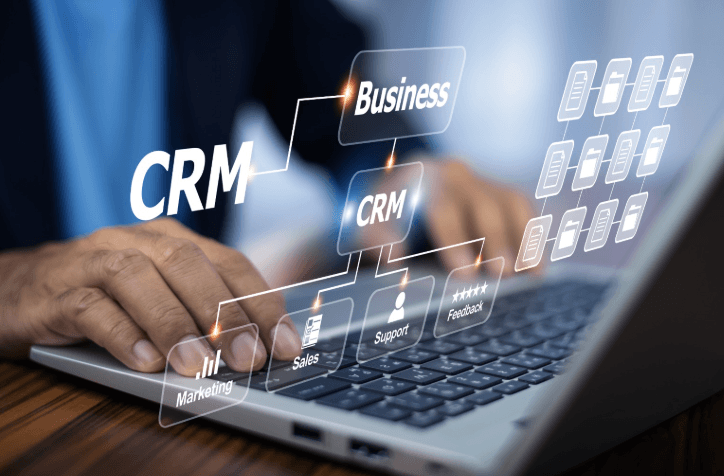
CRM stands for customer relationship management. Traditionally, CRM software helped businesses organize customer information, sales activity, communication history, appointments, and support interactions within centralized digital systems. As texting became one of the most widely used communication methods, many CRM platforms began integrating text messaging directly into their systems.
A texting CRM allows businesses to manage customer communication through text messaging while organizing conversations, contact information, scheduling, sales activity, and customer history in one centralized platform.
Instead of relying on scattered phone conversations, disconnected emails, or personal employee devices, businesses can maintain organized communication records while responding to customers quickly and professionally.
These systems became especially valuable because customers now expect businesses to communicate faster and more conveniently across mobile devices. Companies use texting CRM platforms for appointment reminders, sales follow-ups, customer support, marketing communication, lead nurturing, and internal organization.
The goal is not simply sending text messages. It is creating more connected, efficient, and personalized customer communication experiences while improving organization throughout the business.
Why Businesses Needed Better Communication Systems
As businesses expanded digitally, customer communication became increasingly difficult to manage manually.
Companies often interact with hundreds or thousands of customers across multiple communication channels, including email, phone calls, websites, social media, and mobile messaging. Without organized systems, important conversations can easily become scattered, delayed, or forgotten entirely.
This creates problems for both businesses and customers.
Customers may feel frustrated if they must repeat information constantly or wait too long for responses. Employees may struggle to track communication history or manage follow-ups consistently.
CRM software originally emerged to solve these organizational problems.
Businesses began using CRM systems to centralize customer records, communication history, sales pipelines, and support interactions in one place. This improved visibility allowed teams to coordinate more effectively while maintaining better customer relationships.
As texting grew more popular, however, businesses realized that mobile messaging also needed to become part of these organized systems.
Customers increasingly preferred text communication because it felt faster and more convenient than many traditional communication methods. Businesses, therefore, adapted CRM platforms to include mobile messaging capabilities directly within customer management systems.
This integration created more complete communication workflows.
How Texting CRM Works
A texting CRM combines customer relationship management tools with text messaging communication features inside one platform.
Businesses can send and receive text messages directly through the CRM system while keeping conversations connected to customer profiles, sales records, appointments, or support activity.
For example, when a customer sends a message, employees may instantly see:
- Customer contact information
- Previous communication history
- Purchase records
- Appointment details
- Sales notes
- Support requests
- Internal team comments
This visibility improves communication quality significantly because employees understand customer context immediately without searching through disconnected systems.
Many texting CRM platforms also support automation.
Businesses can automatically send appointment reminders, follow-up messages, lead nurturing campaigns, delivery updates, payment reminders, or customer check-ins based on schedules or customer actions.
Automation improves efficiency while helping businesses maintain more consistent communication.
The platform essentially becomes a centralized communication hub connecting customer interaction, organization, and operational management together.
Why Customers Prefer Text Communication
One reason texting CRM systems became so valuable is that customers increasingly prefer mobile communication.
Text messages feel quick, direct, and convenient. Unlike phone calls, texting does not require immediate, uninterrupted attention. Customers can respond when convenient while still receiving information quickly.
Many people also check text messages much faster than email communication.
Because smartphones remain constantly nearby for most users, businesses can reach customers more effectively through mobile messaging when communication timing matters.
For example, appointment reminders, delivery notifications, support updates, or sales follow-ups often receive faster engagement through text messaging compared to traditional communication methods.
Customers appreciate convenience.
Businesses appreciate improved response rates and communication visibility.
Texting CRM systems help support both goals simultaneously.
See also: Corporate Travel Solutions: Executive Vehicles for Seamless Business Trips
How Automation Improves Efficiency
Automation became one of the most important features of modern texting CRM platforms.
Without automation, businesses would need employees to manually send reminders, follow-ups, confirmations, and repetitive communication throughout the day.
This quickly becomes time-consuming and inconsistent.
Automated workflows allow businesses to schedule and trigger communication automatically based on customer behavior, appointments, purchases, or sales activity.
For example, a CRM system may automatically send:
- Appointment reminders
- Missed call follow-ups
- Lead nurturing messages
- Service reminders
- Event confirmations
- Customer satisfaction requests
- Payment notifications
These automated systems improve consistency while reducing manual workload significantly.
At the same time, strong texting CRM strategies still prioritize personalization.
Businesses often customize messages using customer names, service details, purchase history, or appointment information so communication feels more personal rather than robotic.
The balance between automation and authentic communication remains extremely important.
A Brief Look At Texting CRM
Texting CRM refers to customer relationship management software that integrates text messaging communication directly into customer management systems.
Modern texting CRM platforms allow businesses to organize customer conversations, send automated messages, manage sales activity, track communication history, and maintain customer records within one centralized platform.
For example, businesses may use texting CRM systems to support appointment scheduling, sales follow-ups, customer support, lead nurturing, or marketing communication while improving operational organization and communication speed.
These systems help companies communicate more efficiently while maintaining stronger visibility into customer relationships and interaction history.
How Sales Teams Use Texting CRM
Sales teams often benefit heavily from texting CRM systems because fast communication can strongly influence lead conversion and customer engagement.
Potential customers frequently expect quick responses after requesting information or showing interest in products and services. Delayed communication may reduce sales opportunities significantly.
Texting allows sales representatives to follow up quickly while maintaining conversational communication.
CRM systems also help sales teams track interactions, schedule follow-ups, organize lead status, and manage communication history more efficiently.
For example, representatives may receive automated reminders to contact leads or continue conversations based on previous customer activity.
This organization improves consistency across sales pipelines.
Managers can also monitor communication performance and team activity more effectively through centralized CRM reporting tools.
Why Customer Support Benefits From Texting CRM
Customer support departments increasingly use texting CRM systems because customers often prefer fast mobile communication during service interactions.
Instead of waiting on hold or exchanging lengthy email chains, customers can ask questions or receive updates through text messaging.
CRM integration improves support quality because representatives can instantly access customer history and previous interactions while responding.
This reduces repetition and helps businesses resolve issues more efficiently.
Support teams can also collaborate more effectively because communication remains centralized and accessible within shared systems rather than isolated across personal devices or disconnected channels.
Customers benefit from faster and more organized support experiences overall.
How Texting CRM Supports Marketing
Marketing teams also use texting CRM systems to manage personalized communication campaigns.
Because CRM platforms store customer information and behavior history, businesses can create more targeted messaging strategies based on customer interests, purchases, engagement patterns, or service history.
This improves campaign relevance significantly.
For example, businesses may send promotions tied to previous purchases, reminders based on appointment schedules, or personalized recommendations related to customer behavior.
Well-targeted communication often produces stronger engagement than broad generic messaging.
CRM systems also help businesses track campaign performance and customer response patterns more accurately.
Why Organization Matters So Much
One major advantage of texting CRM systems is improved organization.
Without centralized systems, communication may become scattered across phones, emails, spreadsheets, or individual employees. This creates confusion and increases the likelihood of missed follow-ups or inconsistent customer experiences.
Texting CRM platforms solve this problem by creating centralized visibility across customer communication and operational activity.
Businesses gain stronger oversight while customers receive more consistent communication experiences.
This organization becomes increasingly valuable as companies grow and manage larger customer volumes.
Conclusion
Texting CRM systems combine customer relationship management with mobile communication tools to help businesses communicate faster, organize customer information more efficiently, and improve overall customer experience.
By integrating text messaging directly into centralized customer management platforms, businesses can maintain communication history, automate workflows, improve follow-ups, and support stronger customer relationships across sales, support, and marketing operations.
Customers increasingly prefer fast and convenient communication through mobile devices, which makes texting CRM systems especially valuable in modern business environments.
Automation, personalization, and centralized organization all contribute to better operational efficiency and more responsive customer interaction.
As communication habits continue evolving, texting CRM technology will likely remain an important tool helping businesses stay connected, organized, and competitive in an increasingly mobile-focused world.